Live Streaming for Corporate Events in Abu Dhabi: Equipment, Setup and Planning
Corporate events no longer need to be limited to the people attending in person. Conferences, product launches, business presentations and corporate meetings can reach wider audiences through professional live streaming.
With reliable live streaming services in Abu Dhabi, businesses can connect with remote attendees, improve audience participation and make event content available beyond the event day. However, a successful live stream requires more than a camera and an internet connection. Equipment, audio quality, connectivity and technical coordination all play an important role.
This guide explains what businesses should consider when planning a professional corporate event live stream.
Why Live Streaming Matters for Corporate Events
Live streaming allows businesses to broadcast events to audiences who cannot attend in person. It is particularly useful for conferences, corporate announcements, product presentations, training sessions and hybrid events.
Key benefits include:
- Wider audience reach: Connect with employees, clients, partners and stakeholders in different locations.
- Greater accessibility: Allow people with travel or scheduling constraints to participate remotely.
- Audience engagement: Interactive features such as live chat, polls and Q&A can encourage participation.
- Reusable content: Recorded sessions can be edited and shared after the event for future communication or marketing.
- Flexible event access: Depending on the platform, organisers can offer public broadcasts or restricted access for selected viewers.
For hybrid events, a well-planned stream helps remote participants feel included rather than simply watching from the sidelines.
What Does a Professional Live Streaming Setup Include?
A reliable streaming setup combines video, audio, internet connectivity and live production. Each element should be planned according to the event format, audience size and broadcasting requirements.
1. Cameras and Camera Positioning
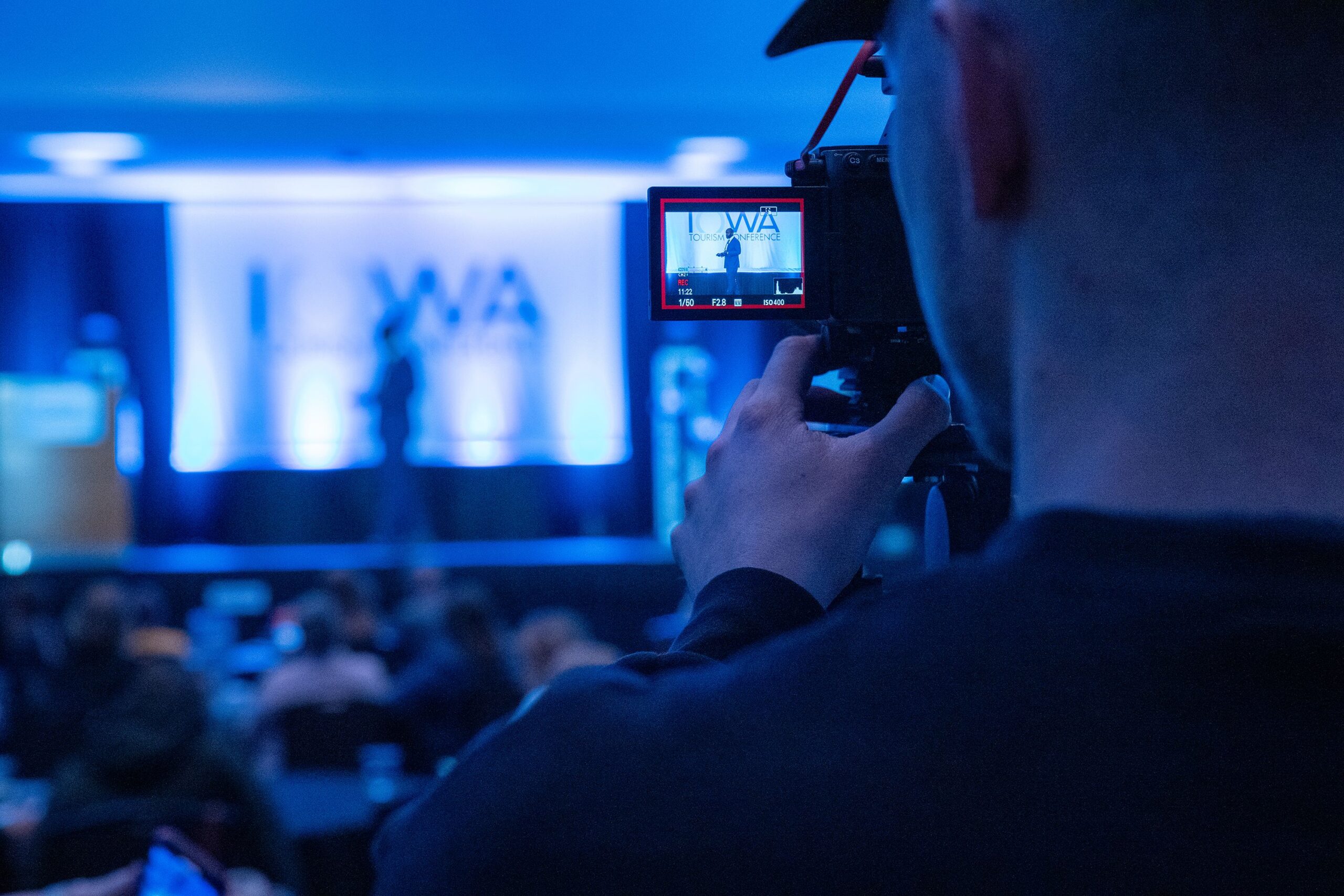
Multiple camera angles can make a corporate broadcast more engaging. A wide shot captures the stage, while closer shots show speakers and presentations more clearly. Additional angles may be useful for panel discussions or audience interaction.
Camera positions should be planned in advance to maintain clear views without obstructing attendees.
2. Professional Audio and Microphones
Clear sound is essential for online audiences. Depending on the event, organisers may need lapel, handheld or podium microphones, along with suitable audio mixing equipment.
The sound sent to online viewers should be tested separately from the sound heard inside the venue. This helps ensure that speeches, presentations and discussions remain clear throughout the broadcast.
3. Lighting and Video Quality
Lighting that works for an in person audience may not always look good on camera. Consistent lighting, appropriate camera exposure and clear presentation screens can improve the viewing experience.
Testing the lighting during rehearsal helps the production team identify and correct problems before the event begins.
4. Streaming Platforms and Audience Access
The right platform depends on the purpose of the event and the intended audience. Businesses may choose public platforms such as YouTube or Facebook, stream through their own website, or use a private link where supported.
For internal meetings or restricted events, password protection and access controls may be important. Organisers should also test the viewing link and audience access before broadcasting.
5. Reliable Internet and Backup Connectivity
A stable upload connection is essential for uninterrupted live streaming. Download speed alone does not indicate whether a connection can reliably send a live video feed.
RedX Media’s website recommends a minimum upload speed of 5 Mbps for HD streaming. Actual requirements depend on the stream quality, platform settings and production setup. A dedicated connection and backup connectivity can help reduce the risk of interruptions.
6. Live Production and Technical Monitoring
Live production may involve switching between cameras, displaying presentation slides, adding branded graphics and managing transitions. Technical monitoring helps the team identify audio, video or connectivity issues during the broadcast.
Clear communication between the streaming team and event organisers is equally important, particularly when the schedule includes multiple speakers or live audience interaction.
How to Plan a Successful Live Stream
Good preparation reduces last minute technical issues and helps the event run smoothly.
Before the Event
- Define the objective: Decide whether the stream is intended for internal communication, audience engagement, marketing or wider event access.
- Choose the platform: Confirm where the broadcast will appear and whether access should be public or restricted.
- Confirm technical requirements: Review camera positions, microphones, lighting, power and internet connectivity.
- Prepare graphics and presentations: Check speaker names, logos, slides and other on screen content.
- Schedule a rehearsal: Test the complete setup, including the audio feed, video, internet connection and audience viewing link.
During the Event
Follow a clear run of show and assign a technical lead to coordinate with the event manager. Monitor the outgoing broadcast, check audio levels and ensure presentations are ready when required.
If the stream includes live chat, polls or Q&A, assign someone to moderate questions and coordinate audience participation.
After the Event
Review the recording and identify opportunities to create highlights or edited sessions. Depending on the platform and service arrangement, recordings may be hosted for on demand viewing or reused in future communications.
Reviewing available viewing and engagement data can also help organisers evaluate the event and improve future broadcasts.
How to Choose a Live Streaming Company in Abu Dhabi
Choosing a suitable provider involves more than comparing equipment lists. Businesses should look for a team that understands the event format and can coordinate the technical requirements.
Before making a decision, ask:
- What is included in the service? Confirm cameras, audio equipment, technical operators, graphics, connectivity and platform setup.
- Is backup connectivity available? Understand the contingency plan for internet or equipment problems.
- Will the team conduct a technical check? Ask about venue checks, rehearsals and pre-event testing.
- Can the provider support your event format? Conferences, hybrid meetings and public launches may have different requirements.
- Are recording and editing available? Check whether post-event highlights or on demand hosting can be included.
- Is communication clearly managed? A designated point of contact can make coordination easier on the event day.
Professional technical coordination helps reduce avoidable risks by ensuring that the different parts of the production work together.
Live Streaming Services in Abu Dhabi with RedX Media
RedX Media provides event production services in Abu Dhabi, including live streaming related services. According to its website, its live streaming offering includes multi camera setups, streaming to supported platforms, branded graphics, interactive features, private streaming options and post event editing.
These options can support corporate events, conferences, product launches and other occasions where businesses need to reach audiences beyond the venue.
The appropriate setup depends on the event’s size, format, audience and technical requirements. Discussing these details in advance helps establish the equipment, production support and connectivity needed for the broadcast.
Businesses can also explore RedX Media’s live streaming services to learn more about the available options.